Yes2Win Instant Topup Teaching – Step by Step Tutorial


Step 1: Access the Top-Up Page
On the homepage of YES2WIN, tap the green credit icon to enter the top-up section. This button is located near the game menu.
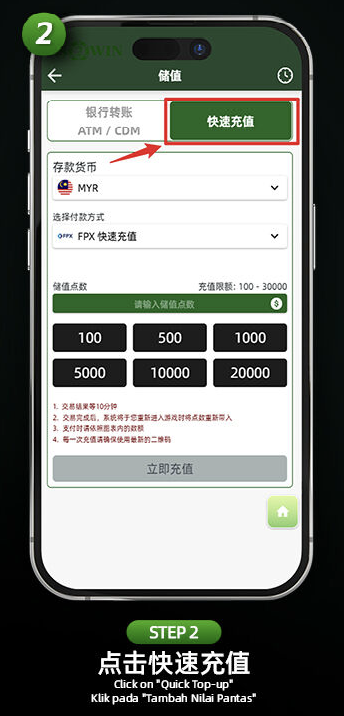
Step 2: Choose "Quick Top-Up"
Select the "Quick Top-Up" option from the top of the deposit page. This activates the instant top-up method instead of bank transfer.
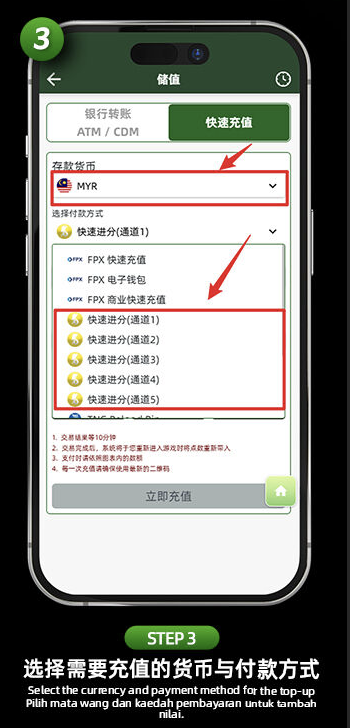
Step 3: Select Currency and Channel
Choose your deposit currency (e.g., MYR) and pick a Quick Credit Channel (Channel 1 to 5) under the "Payment Method" section.
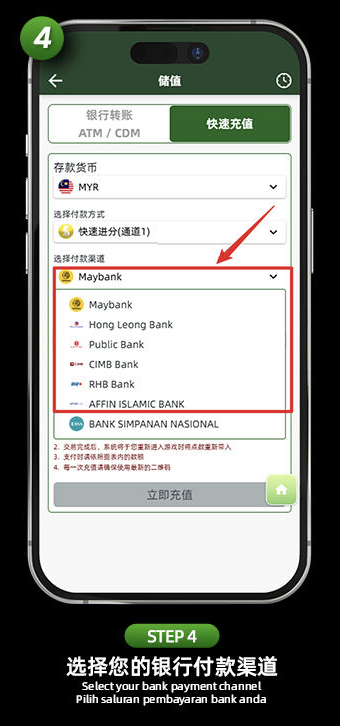
Step 4: Choose Bank Payment Method
From the list of available banks, select your preferred option (e.g., Maybank, CIMB, RHB, Public Bank, etc.).
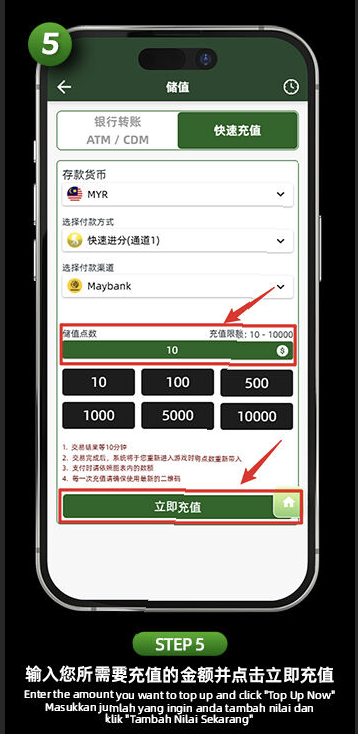
Step 5: Enter Top-Up Amount
Input your deposit amount between RM10 to RM10,000. You may also tap on the preset buttons (100, 500, 1000, etc.) for quick selection.
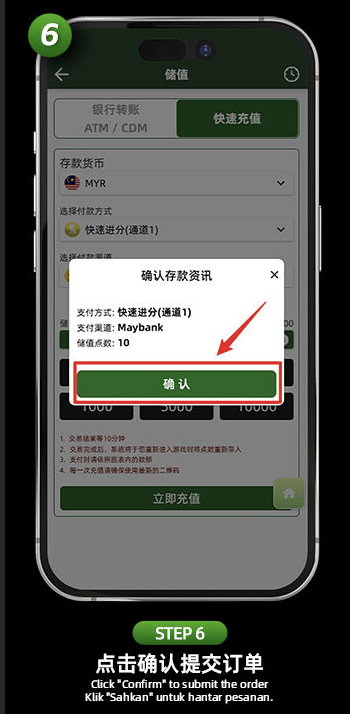
Step 6: Confirm the Transaction
A confirmation screen will appear showing your selected channel, bank, and amount. Press "Confirm" to submit your order.
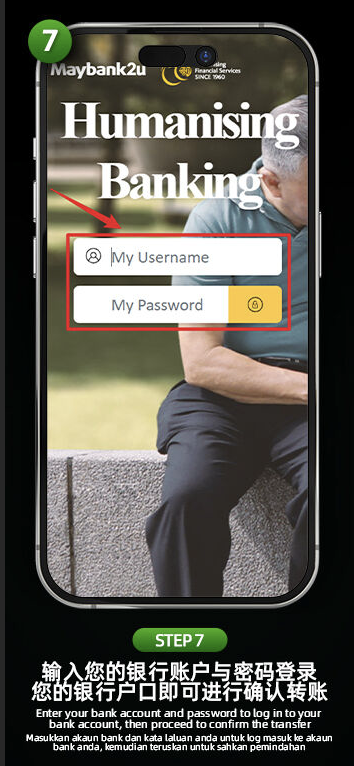
Step 7: Log In to Online Banking
You will be redirected to your selected bank’s login page. Enter your online banking username and password to authorize the transfer.
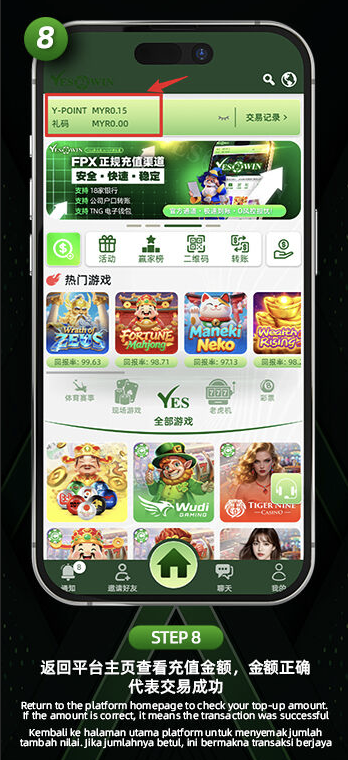
Step 8: Verify on YES2WIN
After payment, return to the YES2WIN homepage. Your top-up balance (Y-Point) should be updated instantly. If correct, your deposit was successful.
Start Your Top-Up Now at YES2WIN
Experience real-time deposits through YES2WIN’s Instant Top-Up Channels 1–5. Fast, secure, and verified credit in minutes.