Yes2Win SGD Instant Topup Teaching – Full Tutorial


Step 1: Access the Top-Up Page
On the YES2WIN homepage, click the green coin icon to enter the top-up interface where you can begin your SGD deposit.
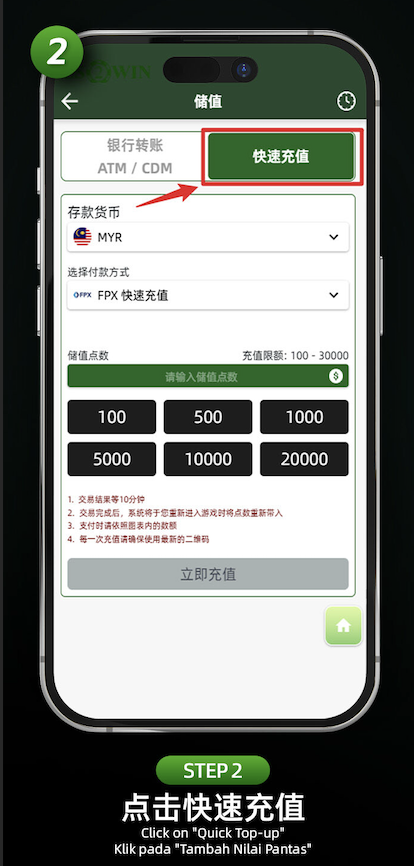
Step 2: Choose "Quick Top-Up"
Select the "Quick Top-Up" tab from the available top-up methods for faster processing.
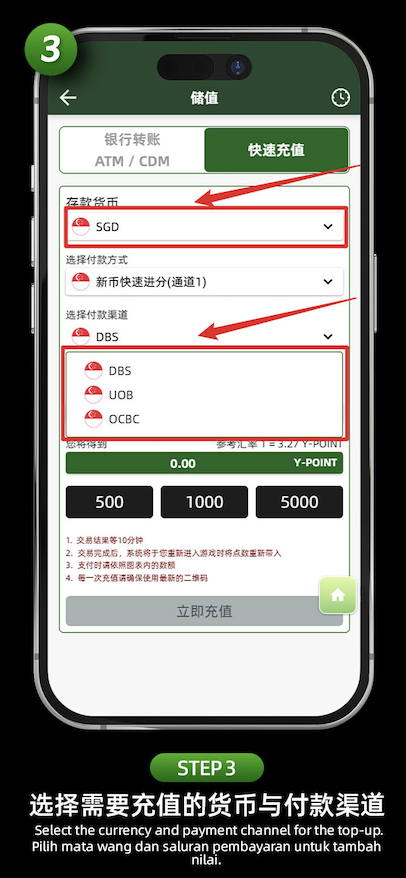
Step 3: Select SGD and Payment Channel
Change the deposit currency to "SGD". Then choose your preferred payment channel such as DBS, UOB, or OCBC for processing the transfer.
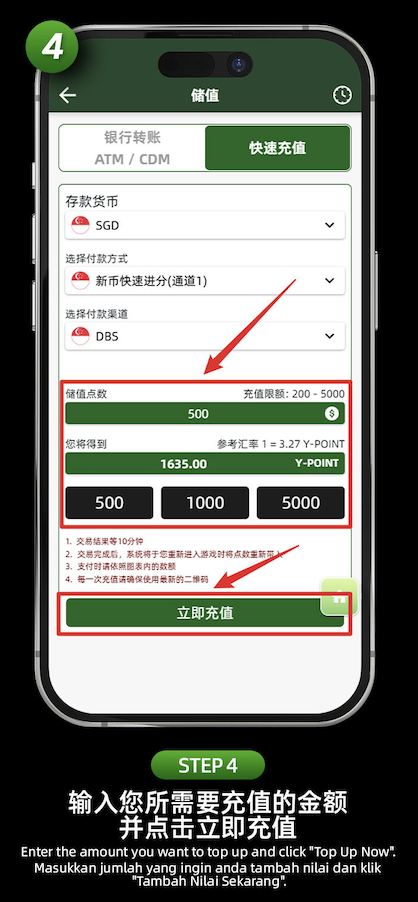
Step 4: Enter Your Desired Top-Up Amount
Type in the amount you’d like to top up (between SGD 200 - 5000). You’ll also see the estimated conversion to Y-POINT displayed instantly.
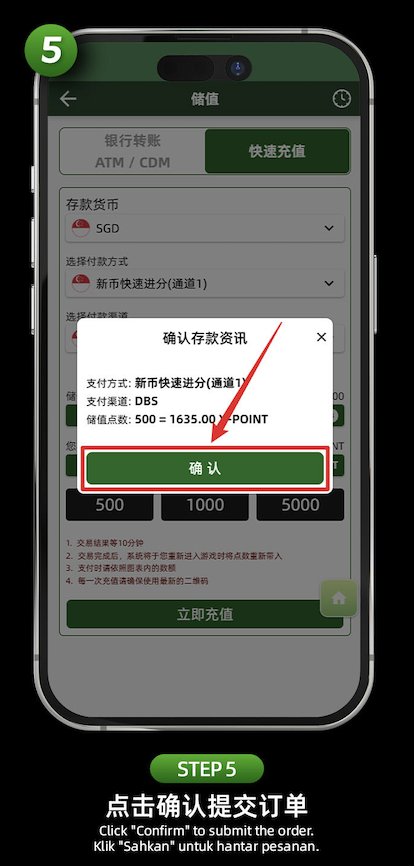
Step 5: Confirm Your Deposit Details
Verify the selected bank, top-up amount, and equivalent Y-POINT. Then click "Confirm" to proceed with the transaction.
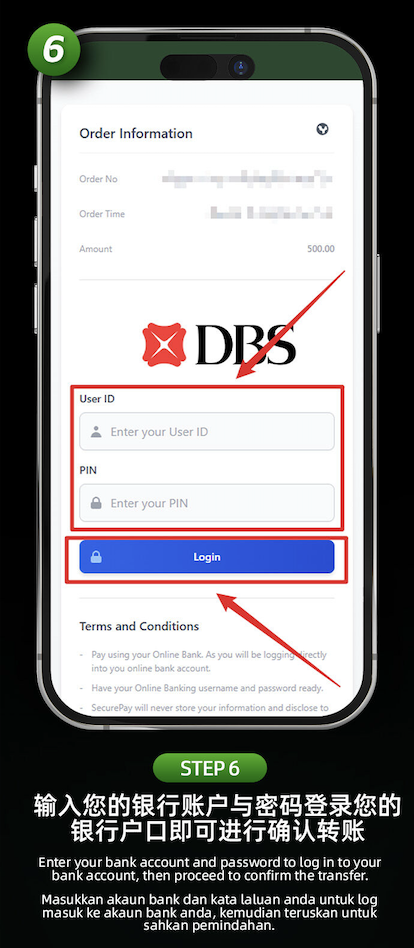
Step 6: Login to Your Bank Account
Enter your online banking user ID and PIN to securely log in and authorize the top-up payment through your selected Singapore bank.
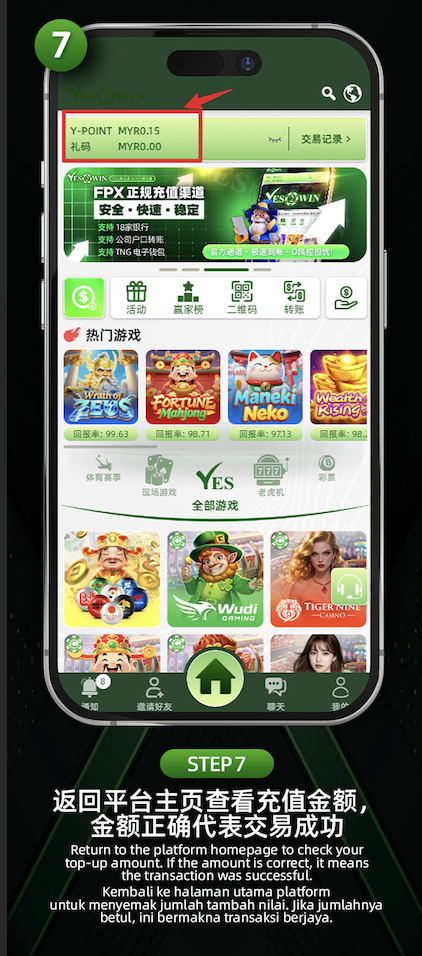
Step 7: Return to Homepage to Confirm Success
After the transaction is complete, return to the YES2WIN homepage. If your top-up amount reflects accurately, your deposit was successful.
Start Your SGD Top-Up Now
Ready to deposit and play? Follow the guide and fund your YES2WIN account instantly through SGD banks.