Yes2Win USDT TRC20/ERC20 Top Up Teaching Guide
Step 1: Click the Wallet Icon on Homepage
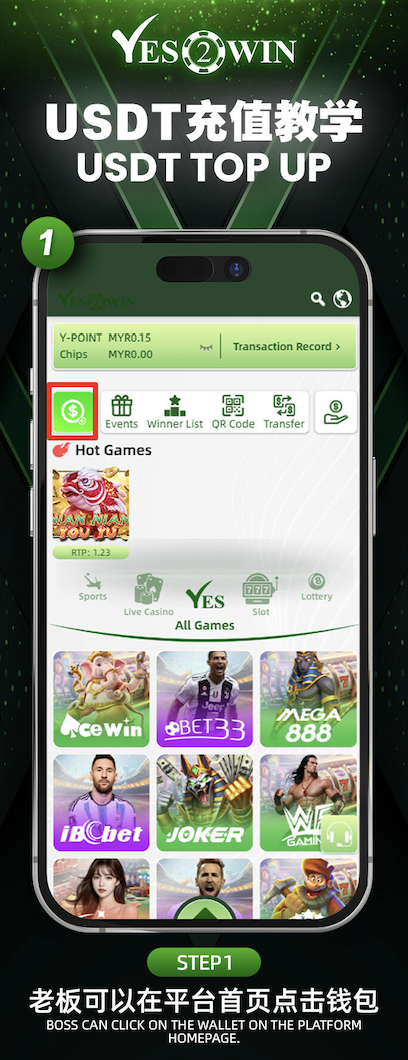
On the YES2WIN platform homepage, tap the green wallet icon to begin your top-up process. This takes you to the deposit section.
Step 2: Choose "Quick Recharge" and Select USDT
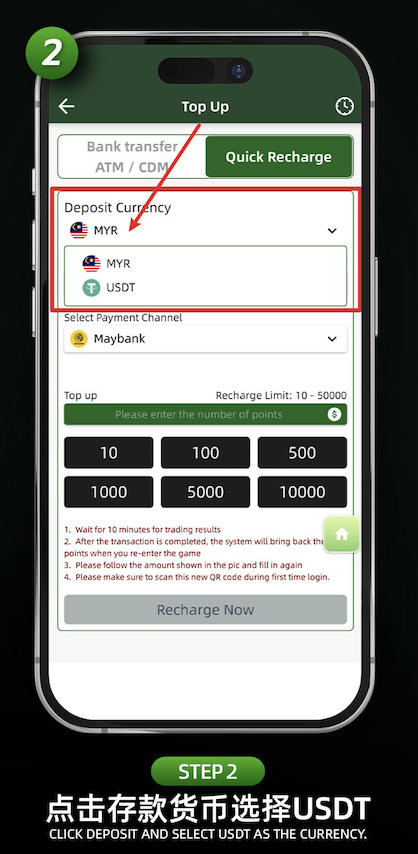
Tap on the "Quick Recharge" tab, then select "USDT" as your deposit currency. You can switch from MYR to USDT depending on your preferred funding method.
Step 3: Select Your Payment Channel (EUSDT or TUSDT)
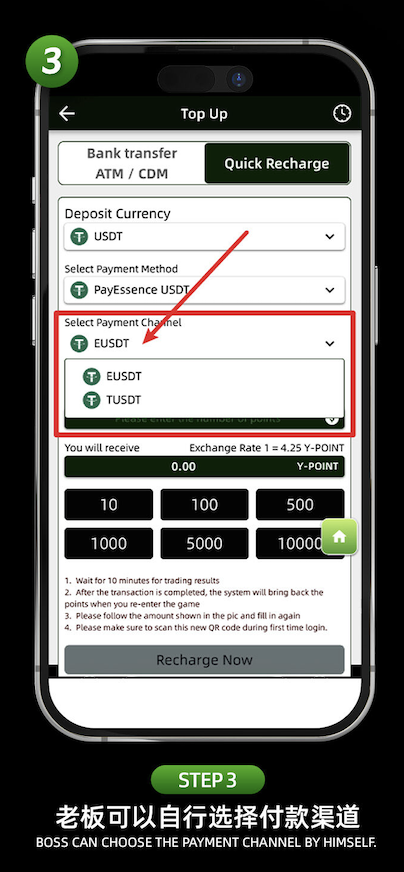
Under "Select Payment Channel", choose either EUSDT or TUSDT depending on your crypto wallet. This flexibility allows for both ERC20 and TRC20 deposits.
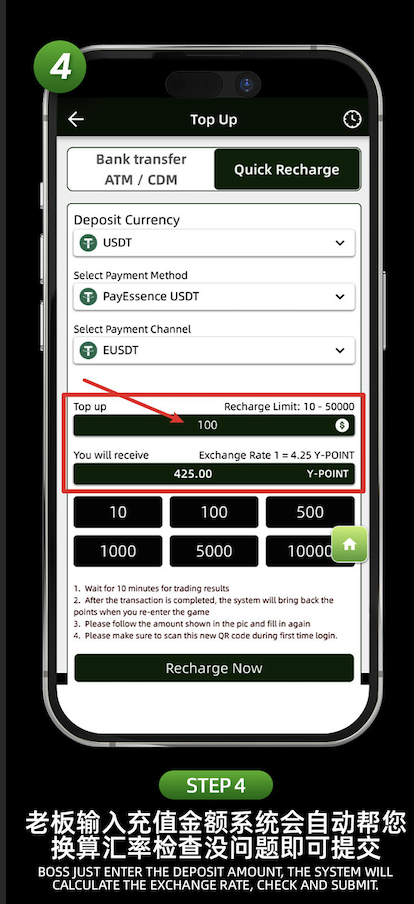
Step 4: Enter Deposit Amount and Check the Exchange Rate
Input your desired top-up amount. The system will auto-calculate the Y-POINT you will receive based on the current exchange rate. Double-check and proceed.
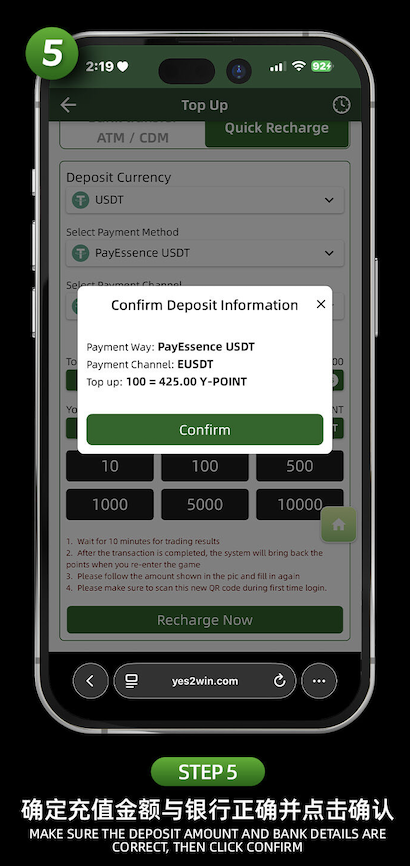
Step 5: Confirm Deposit Details
A pop-up will show your payment method, channel, and the amount. Verify that all information is accurate, then click "Confirm" to submit.
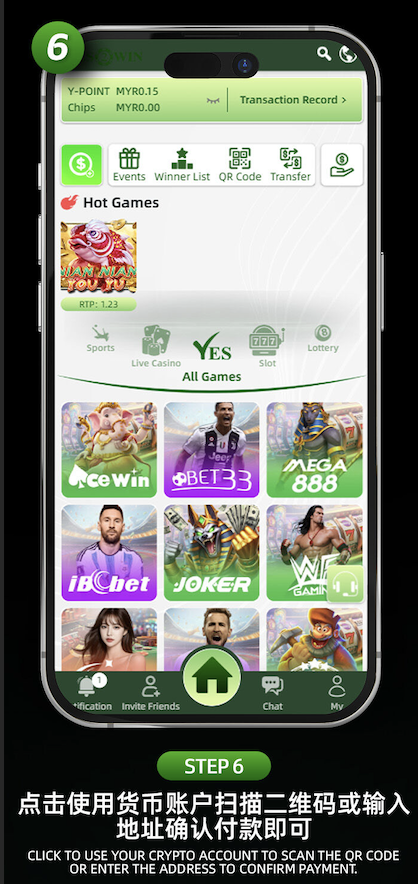
Step 6: Complete Payment via Your Crypto Wallet
Open your cryptocurrency wallet to scan the QR code or copy the payment address. Send the exact USDT amount to complete the transfer.
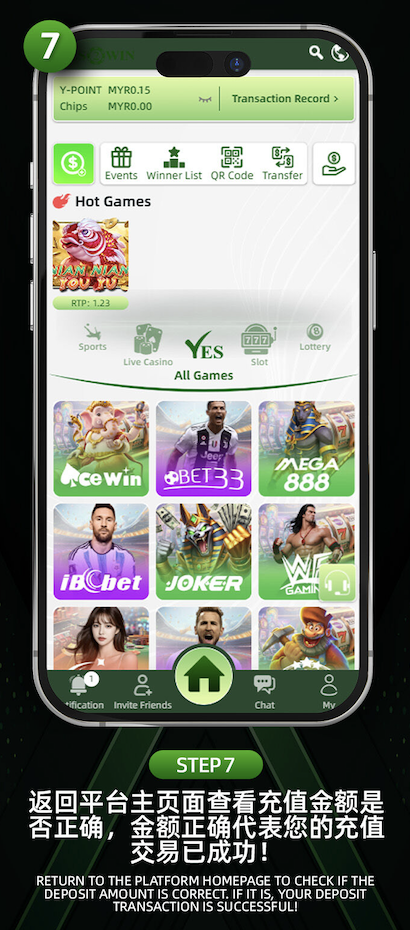
Step 7: Return to Platform and Verify
Once the transfer is complete, return to the homepage on YES2WIN and check your Y-POINT balance. A successful top-up will reflect immediately.
Ready to Recharge with USDT?
Follow our official YES2WIN USDT top-up tutorial and enjoy secure, fast crypto deposits with TRC20 or ERC20.